Push, pull, or push-pull: which radiator fan setup should you use?
Push and pull usually provide similar cooling when the same fan, speed, radiator, and airflow path are used. Push-pull can improve performance, but the added cost, thickness, wiring, and noise are often more significant than the temperature gain.
The SoftJean Editorial Team reviewed current manufacturer guidance on radiator airflow, static-pressure fans, push-pull configurations, case ventilation, cleaning, and fan-header limits. SoftJean did not perform the unsupported personal tests described in the original article.
The words push and pull describe which side of the radiator holds the fans. They do not tell you whether the radiator is operating as a case intake or exhaust. A push radiator can be configured as either intake or exhaust, and the same is true for a pull radiator.
For most AIO and custom-loop builds, one row of suitable radiator fans is the best starting point. The decision between push and pull is usually based on clearance, cable routing, appearance, dust access, and the airflow path through the case rather than a dramatic thermal difference.
Quick recommendation
Use the manufacturer’s standard single-fan-row configuration when it fits correctly and temperatures are stable.
Choose push or pull according to case clearance, cleaning access, visible fan side, and cable routing.
Consider push-pull only when the radiator is especially restrictive, the system needs more airflow at moderate fan speed, and the case has enough room for a second complete fan row.
The fan sits before the radiator in the airflow path and forces air into the fin stack.
The fan sits after the radiator in the airflow path and draws air through the fin stack.
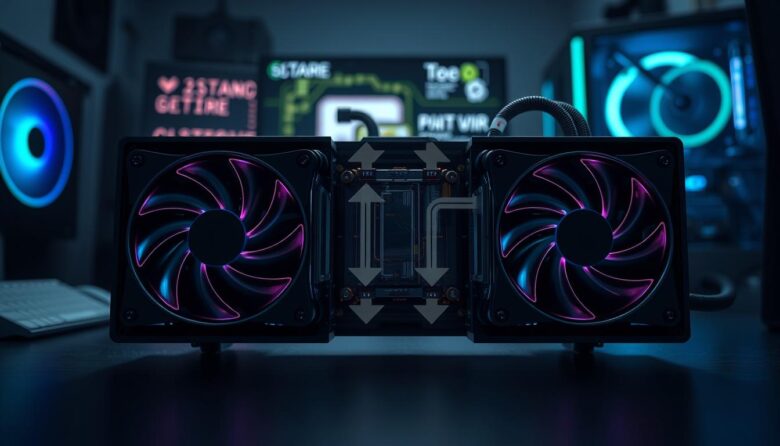
One fan row pushes and the other pulls. Both rows must move air through the radiator in the same overall direction.
In a correct push-pull configuration, both banks support one continuous airflow path. Fans facing each other and attempting to move air in opposite directions create turbulence, reduced airflow, extra noise, and unnecessary motor load.
Push and pull are not the same as intake and exhaust
Fan position and case-airflow direction are two separate decisions. First determine whether the radiator should bring outside air into the case or send case air outside. Then decide which side of the radiator provides the best place for the fans.
| Term | What it describes | What it does not determine |
|---|---|---|
| Push | The fans are positioned upstream and blow into the radiator | Whether the complete assembly is a case intake or exhaust |
| Pull | The fans are positioned downstream and draw air through the radiator | Whether air comes from outside or from inside the case |
| Push-pull | Fans are installed on both sides and assist the same airflow path | Whether the radiator is mounted at the front, top, side, or bottom |
| Intake | The complete fan-and-radiator assembly moves outside air into the case | Which side of the radiator holds the fans |
| Exhaust | The complete assembly moves case air to the outside | Whether the fans are in push, pull, or push-pull |
How to determine fan direction
Many fans have arrows molded into the frame showing airflow and blade-rotation direction. When arrows are absent, conventional fans usually move air toward the side containing the support struts and rear motor label. Reverse-blade fans are an important exception, so their manual or frame markings should be checked directly.
Standard and reverse-blade fans can present different visible sides while producing the desired airflow. Confirm direction from the fan markings or manufacturer documentation before installing the radiator.
Push, pull, and push-pull comparison
| Configuration | Thermal expectation | Main advantage | Main limitation | Best starting use |
|---|---|---|---|---|
| Single-row push | Usually similar to pull with the same fan and airflow conditions | Common factory arrangement and simple cable routing | Dust can collect between the fan frame and radiator | Default choice |
| Single-row pull | Usually similar to push when other variables remain equal | Can leave the dirty radiator face exposed for easier cleaning | Fan frame and wiring may occupy the preferred visible side | Clearance or cleaning |
| Push-pull | Can improve airflow through restrictive radiators, but gains often diminish quickly | Additional airflow or similar airflow at a lower speed per fan | Twice the fans, added thickness, cost, wiring, current draw, and noise sources | Specialized use |
| One thicker pressure-focused fan row | Can provide strong radiator performance without a complete second row | Saves space compared with two standard fan rows | Thicker fans may still create clearance and noise concerns | Alternative upgrade |
When the same fan operates at the same RPM on the same radiator, the thermal difference is often too small to justify rebuilding a system solely to move the fan from one side to the other.
Radiator resistance and static pressure
A radiator resists airflow because air must pass through narrow spaces between fins and coolant channels. Filters, grills, case panels, fan frames, and dust add more resistance. Radiator fans therefore need to maintain useful airflow while operating against back pressure.
A closely packed fin structure can require stronger pressure performance or higher fan speed to use its available heat-transfer area.
Air travels through a deeper core in a thick radiator. The real resistance also depends on the fin shape and density, not thickness alone.
A solid front panel, dense filter, tight grill, cable cover, or small exhaust opening can limit the complete airflow path.
Static pressure is useful, but it is not the only specification
- Check the fan’s pressure-to-airflow behavior, not only one maximum pressure number.
- Compare specifications at realistic fan speeds and acceptable noise levels.
- Use a fan frame that seals reasonably well against the radiator surface.
- Check minimum RPM when quiet operation is important.
- Consider bearing tone, motor noise, vibration, and resonance.
- Do not compare maximum values published under unknown or different test methods as if they were a controlled benchmark.
A powerful radiator fan cannot correct a severely blocked intake or exhaust path. The case needs an unobstructed route for fresh air to enter and heated air to leave.
When a push configuration makes sense
Practical advantages
- Many AIO coolers arrive with fans already installed in push.
- It can simplify a top-radiator exhaust installation.
- The fan may remain easier to access from inside the case.
- Fan lighting can face the preferred viewing direction.
- Factory wiring and tube routing may be designed around this arrangement.
Possible disadvantages
- Dust may collect in the narrow space between the fan and radiator.
- Deep cleaning can require fan removal.
- The fan frame may block access to radiator screws or ports.
- Clearance can be worse when the fan occupies the motherboard or GPU side.
- An unsuitable fan can create turbulence against a restrictive grill or panel.
Push is a sensible default when the cooler arrives preassembled that way, the installation fits correctly, and there is no specific cleaning or clearance reason to reverse it.
When a pull configuration makes sense
Practical advantages
- The intake face of the radiator may remain exposed for easier dust removal.
- It can move the fan away from a memory, motherboard, or graphics-card obstruction.
- Fan cables may be easier to hide in some case layouts.
- It can place the visually cleaner side of the fan toward the interior.
- The radiator may be easier to inspect without removing the fans.
Possible disadvantages
- The fan may occupy a cable-management or side-panel area.
- Some AIO wiring is less convenient after reversing the factory arrangement.
- Exposed fan frames may not match the desired visual layout.
- A fan placed too close to a panel or grill can develop an unpleasant noise profile.
- Fan access may become difficult after the radiator is mounted.
When the dirty face of the radiator remains exposed, loose dust can be removed without first taking off the fan. Hold the fan blades still when using suitable compressed air so the fan is not spun at uncontrolled speed.
When push-pull is worth considering
Push-pull adds a second fan for every radiator position. A 240mm radiator therefore uses four fans, while a 360mm radiator uses six. The arrangement can improve airflow through a restrictive core, but it does not double radiator performance.
A deep core may benefit more from additional assistance than a slim, low-resistance radiator.
Closely packed fins can create greater airflow resistance, especially at low fan speed.
Two fan rows may provide the required airflow while each fan runs more slowly.
The case must fit the radiator plus two complete fan rows, cables, brackets, and nearby hardware.
Push-pull is most defensible when
- The radiator is thick or otherwise restrictive.
- Independent testing shows the current fan row is airflow-limited.
- You want to maintain airflow at a lower speed per fan.
- The case has sufficient depth without blocking memory, the GPU, cables, or panels.
- The controller or motherboard can power and control every fan safely.
- The additional noise, wiring, cleaning, and cost are acceptable.
Push-pull is usually unnecessary when
- The stock radiator and fans already maintain safe, stable temperatures.
- The radiator is relatively slim and operates well at moderate RPM.
- The second fan row would restrict another intake or exhaust path.
- The case cannot fit the complete stack without pressure against components.
- The money could fund a larger radiator or additional radiator in a custom loop.
- The only goal is a dramatic CPU-temperature reduction.
Push-pull can improve radiator airflow, but the additional fan row often produces a modest change rather than a transformative one. In a custom loop, adding radiator surface area can provide a more meaningful expansion path when the case supports it.
How to choose fans for a radiator
| Fan characteristic | Why it matters | What to check |
|---|---|---|
| Static-pressure capability | Helps maintain airflow through fins, filters, grills, and restrictive panels | Pressure-to-airflow performance at the speed and noise level you intend to use |
| RPM range | Determines low-noise control and maximum cooling reserve | Minimum stable RPM, maximum RPM, and fan-stop support |
| Frame thickness | Changes total radiator-stack depth and can influence pressure performance | Case clearance, screw length, grill space, and nearby hardware |
| Frame seal | Air escaping around large frame gaps does not pass through the radiator core | Square frame, radiator gasket, corner design, and secure mounting |
| Bearing and motor sound | A fan can have strong specifications but an unpleasant tone at a particular speed | Independent acoustic testing and your intended operating range |
| Connector and control | Determines compatibility with the motherboard, splitter, hub, or controller | Three-pin DC, four-pin PWM, proprietary connector, current draw, and cable length |
Should both push-pull fan rows use the same model?
Matching fans simplify control because both rows share similar RPM ranges, pressure behavior, motor characteristics, and current requirements. Different models can work, but large differences in speed or control behavior may create additional noise and make tuning harder.
- Use the same airflow direction on both sides.
- Prefer identical fans when purchasing a new push-pull set.
- Compare actual RPM rather than applying the same PWM percentage blindly.
- Check whether one controller can manage both groups.
- Verify the total electrical load before using a splitter.
- Listen for beat frequencies or tonal interaction between different fan speeds.
Certain 30mm-thick pressure-focused fans can provide greater radiator capability than standard 25mm fans while requiring much less space than a full push-pull arrangement. Compatibility and screw length must still be checked carefully.
Radiator intake versus exhaust
After choosing push or pull, decide where the heated radiator air should go. Powered fans dominate the airflow path inside a PC; the simple statement that “hot air rises” is not enough to determine the best radiator position.
- Supplies the radiator with cooler outside air.
- Can reduce coolant and CPU temperature.
- Sends radiator-heated air into the case.
- May raise GPU, motherboard, SSD, memory, and VRM temperatures.
- Benefits from filtered openings and adequate case exhaust.
- Moves radiator heat directly out of the case.
- Can simplify front-intake and top-or-rear-exhaust airflow.
- May use air already warmed by the graphics card.
- Can slightly increase coolant or CPU temperature in GPU-heavy workloads.
- Needs enough unrestricted intake airflow elsewhere.
A front radiator intake may improve CPU temperature while warming the graphics card. A top exhaust radiator may produce a slightly warmer CPU while improving internal component airflow. Compare CPU, GPU, coolant, motherboard, and storage temperatures during the workloads you actually use.
Case pressure should not be reduced to one universal rule
Positive, neutral, and negative pressure can all work when airflow paths are well planned. Intake filters, fan models, speed curves, panel restriction, gaps, and exhaust area determine the real behavior. Negative pressure is not automatically cooler, and positive pressure does not guarantee a dust-free PC.
Electrical, clearance, and mounting checks
Add the maximum current rating of every fan connected to the same header and remain within the motherboard or controller limit.
Push-pull depth equals radiator thickness plus both fan rows, before adding brackets, grills, gaskets, and cable clearance.
Screws that extend too far into the radiator can damage coolant channels and create a permanent leak.
Before adding a second fan row
- Read the motherboard fan-header current specification.
- Read the maximum current printed on or documented for each fan.
- Use a powered hub when the total load exceeds the safe header capacity.
- Confirm that the hub passes a usable PWM or RPM signal.
- Check radiator, fan, memory, VRM, GPU, side-panel, and cable clearance.
- Use only the screw length approved for the radiator and fan thickness.
- Make sure cables cannot enter the fan blades.
- Confirm that both fan banks can be cleaned and replaced later.
A splitter does not increase the electrical capacity of a motherboard header. High-speed or high-current fans can exceed the header limit when several are connected together, particularly during startup or maximum-speed operation.
How to test push, pull, and push-pull accurately
Do not compare configurations using unrelated workloads, different fan percentages, or changing room conditions. The test should isolate fan arrangement as much as practical.
Record the complete baseline
Note room temperature, CPU or GPU package power, coolant temperature when available, fan RPM, pump RPM, case-fan speeds, radiator position, and the installed panels and filters.
Use the same workload
Choose a repeatable workload that represents gaming, rendering, production, or combined CPU-and-GPU use. Keep power limits, clocks, voltage, software, and pump speed unchanged.
Compare actual RPM rather than PWM percentage
Different fan models can produce very different speeds from the same control percentage. Use actual RPM to create a fairer thermal comparison.
Allow temperatures to approach a steady condition
Liquid-cooling systems respond more slowly than short CPU temperature spikes. Continue the workload long enough to observe whether coolant and component temperatures stabilize.
Measure noise from the same location
Keep the microphone or listening position, room background, fan speed, case panels, and workload consistent. Note tonal changes as well as overall loudness.
Change only the radiator-fan arrangement
Do not change the thermal paste, pump profile, radiator position, case fans, CPU power, and fan configuration at the same time.
Judge the improvement against its cost
Compare the change in coolant and component temperatures with the added fans, thickness, electrical load, noise, cleaning difficulty, and price.
Short processor spikes, boost algorithms, mounting contact, and heat density can cause variable CPU readings. Coolant temperature, when the loop reports it, provides a useful additional view of radiator performance.
Which configuration should you choose?
Use one fan row when
- The cooler already meets your thermal target.
- The radiator is slim or moderately restrictive.
- Case space, cost, or simplicity matters.
- You want fewer motors and cables.
- The manufacturer’s standard arrangement fits correctly.
Evaluate push-pull when
- The radiator is thick or has high airflow resistance.
- You need more cooling at moderate fan speed.
- A controlled test shows the current fan row is limiting airflow.
- The case has enough depth for the full assembly.
- Electrical load and fan control have been verified.
Select the side that provides the best clearance, easiest cleaning, cleanest cable routing, preferred appearance, and most direct airflow path. Do not expect a universal winner under every radiator and case condition.
Common fan-configuration mistakes
Push describes the fan’s position relative to the radiator, not whether air enters or leaves the case.
Both rows must assist the same continuous airflow direction through the radiator.
A second fan row does not double radiator surface area and normally produces diminishing returns.
Thick radiators and dual fan rows can collide with memory, motherboard heatsinks, the graphics card, cables, or case panels.
Different fan models may run at different RPM and produce different airflow from the same control signal.
Adding splitters and fans without checking the header limit can overload the control source.
Noise, RPM range, pressure-to-airflow behavior, frame design, and radiator resistance also matter.
Removing panels or filters for only one test changes the complete airflow resistance.
Results depend on the real fan curves, restrictions, openings, and component layout.
Excessively long screws can damage the radiator and cause a coolant leak.
Frequently asked questions
Is push better than pull on a water-cooling radiator?
Not universally. With the same fan, RPM, radiator, and airflow conditions, the difference is usually small. Choose according to clearance, cleaning access, cable routing, appearance, and case airflow.
Is pull better for radiator cleaning?
It can be. When the dirty intake face of the radiator remains exposed, loose dust may be easier to remove without taking off the fan first.
Does push-pull double radiator performance?
No. It can improve airflow through the radiator, but it does not double radiator surface area or heat-transfer capacity. Gains normally diminish as airflow becomes sufficient.
Can push-pull reduce noise?
It may allow each fan to run more slowly for a required airflow level. However, the system also gains more motors, bearings, turbulence sources, and possible resonances. Acoustic testing is necessary.
Should both push-pull fans run at the same RPM?
Similar operating speeds simplify airflow and acoustics. Exact matching is easiest with identical fan models controlled together. Large speed differences can make tuning more difficult.
Can I mix fan brands in push-pull?
It may work when both fans move air in the same direction and have compatible speed, control, pressure, current, and acoustic behavior. Matching models are normally easier to configure.
Are high-airflow case fans suitable for radiators?
Some all-purpose fans work well, but radiators generally benefit from fans that maintain useful airflow against resistance. Review pressure-to-airflow performance and independent radiator testing.
Should a front radiator be push or pull?
Either can work. Select the arrangement that fits the front bracket, leaves enough GPU and tube clearance, supports the intended intake or exhaust direction, and allows practical cleaning.
Should a top radiator be push or pull?
Both can operate correctly. Many AIOs use push exhaust at the top, while pull may improve clearance or radiator access in certain cases. Confirm motherboard and memory clearance.
Is front intake always better for CPU temperature?
It often provides cooler air to the radiator, but the heated exhaust enters the case and can affect the graphics card and other hardware. Evaluate the complete system.
Is top exhaust always better because hot air rises?
No. Powered fans create the dominant airflow inside a PC. Top exhaust is often practical, but case restriction, intake airflow, GPU heat, radiator size, and fan curves determine the actual result.
Can I add push-pull fans to any AIO?
Only when the radiator has appropriate mounting points, the case has enough clearance, approved screws are available, electrical limits are respected, and the cooler warranty or instructions do not prohibit the modification.
How thick is a push-pull radiator installation?
Add the radiator thickness and both fan-row thicknesses. Also include brackets, grills, gaskets, screw heads, cable bends, and installation clearance.
Should I add more radiator area or use push-pull?
In a custom loop, additional radiator area often provides a stronger expansion path when the case supports it. Push-pull is more useful after practical radiator capacity and airflow options have already been considered.
How do I know whether push-pull is helping?
Compare the same workload, room conditions, pump speed, component power, case panels, filters, and fan RPM. Record coolant temperature when available, component temperatures, and noise from the same position.
Final recommendation
For most AIO and custom-loop radiators, begin with one row of appropriate pressure-capable fans. Push and pull normally perform closely enough that clearance, cleaning, cable routing, appearance, and the case airflow path should decide which side is better.
Add push-pull only when a restrictive radiator, low-speed acoustic target, or controlled test provides a real reason. Before installing the second row, verify total thickness, screw length, fan direction, electrical load, controller capacity, and nearby component clearance.
The best radiator setup is not the one with the most fans. It is the simplest arrangement that maintains safe component and coolant temperatures at an acceptable noise level in the workloads you actually run.
- CORSAIR explanation and test of radiator push-pull configurations
- CORSAIR guidance on push, pull, clearance, and radiator cleaning
- CORSAIR guidance on static-pressure fans for radiators
- Noctua guide to case airflow, noise, fan positioning, and fan curves
- Noctua guidance for determining fan airflow direction
- ARCTIC guidance on push-pull fan current and motherboard-header limits

The SoftJean Editorial Team creates practical guides about PC cooling, liquid cooling systems, AIO coolers, airflow, maintenance, and hardware troubleshooting. Our content is developed through careful research using manufacturer documentation, technical references, compatibility information, and trusted industry sources to help readers make safer and more informed decisions about their computer cooling setups.