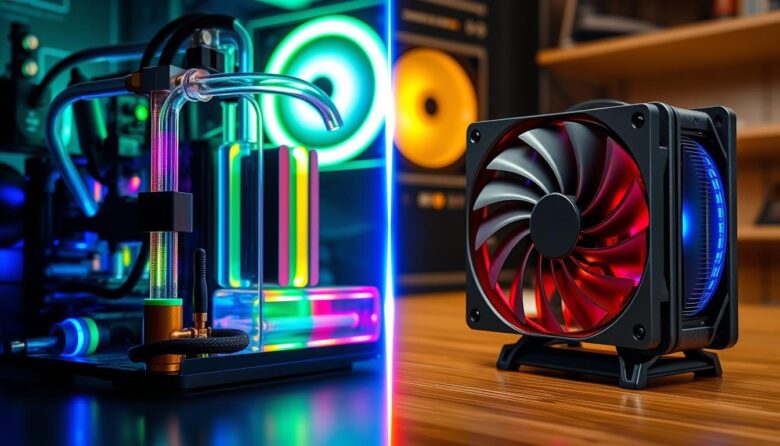
I often find that choosing between a custom loop and modern aio coolers is the toughest call for a new PC builder. I want to make that choice clearer and less stressful for you.
In 2024, many builders note that complex water setups feel like relics. I agree that the extra work and cost can outweigh gains for most users. My aim is to show whether higher performance truly justifies the added expense and effort.
I’ll compare real-world CPU temps, system stability, and the total cost you can expect. I’ll also weigh air solutions and compact aio units that now handle heavy loads well.
Key Takeaways
- I’ll help you decide if the added price and complexity are worth it.
- Modern aio coolers offer strong performance for most daily rigs.
- High-end water setups may still help extreme overclockers and modders.
- Air coolers remain a solid value option for budget-focused builds.
- Consider total cost, maintenance, and long-term reliability when choosing.
Understanding the Custom Loop vs AIO Liquid Cooling Debate
The debate between air-based and water-based systems still sparks strong opinions among builders.
I know that people pick systems for different reasons: noise, looks, or pure temperature drops.
Some want the most control and will accept higher cost and upkeep.
Others prefer a simple, quiet setup that works out of the box.
In practice, high-end air coolers often match entry-level liquid solutions for everyday gaming and productivity.
That surprises many builders who expect big temperature gaps.
- I recommend matching your hardware needs to the system you choose.
- Factor budget, skill level, and how much maintenance you want.
- If aesthetics matter, note that many enthusiasts now pick accessible aio coolers for cleaner builds.
| Priority | Air | Entry-level Water | High-end Water |
|---|---|---|---|
| Performance | Good | Very good | Excellent |
| Noise | Moderate | Low to moderate | Low |
| Maintenance | Low | Low | High |
| Cost | Low | Mid | High |
Bottom line: for most computer users, simpler systems give the best balance of value and reliability.
Why All-in-One Coolers Are the Standard for Most Builders
Most builders pick ready-made radiators because they want simple, reliable performance out of the box.
Ease of Installation
I find that installing an AIO takes minutes on a standard motherboard. The preassembled radiator, pump, and hoses mean you place it, mount the fans, and secure the pump bracket.
Quick setup removes guesswork and fits most cases with a 240mm or 360mm radiator, which is ideal for mainstream CPUs and gaming rigs.
Reliability and Safety
Because aios arrive sealed, they greatly cut the risk of leaks compared to DIY loops. The pump is built for years of service, though a failure usually means replacing the entire unit.
Set-and-forget maintenance is a major advantage — no coolant top-ups or flushing. Mounting the radiator and fans moves heat away from the CPU surface faster than air, so temps stay lower under load.
- Low time investment: installation is fool-proof for most builders.
- Lower leak risk: prefilled units protect hardware inside cases.
- Good price-to-performance: some models beat high-end air coolers on value.
The Hidden Realities of Building a Custom Watercooling Loop
Many builders underestimate how much time and precision a DIY water setup demands. I want to be clear: this path is not just about parts and looks.
The Complexity of DIY Assembly
I must warn you that a custom loop requires far more skill than building a standard PC. Cutting and fitting hoses, routing tubing through the case, and securing tight bends takes patience.
You will need to plan the position of every component: the radiator, pump, waterblocks for CPU and graphics, and the reservoir. Mistakes mean extra disassembly and refills.
Maintenance is higher too. Expect annual checks of coolant, occasional flushing, and careful leak testing after every change. You are responsible for every failure point.
- Assembly can take several hours to days for first-timers.
- Ensuring no leaks is a lot of meticulous work.
- Some users find a high-quality aio cooler would have solved their needs.
| Factor | DIY Water Setup | Typical AIO |
|---|---|---|
| Skill Required | High | Low |
| Maintenance | Annual checks, coolant changes | Minimal |
| Risk | Higher (multiple failure points) | Low (sealed unit) |
| Ability to cool GPU + CPU | Yes | Usually CPU only |
Bottom line: despite the rewards for enthusiasts, building a custom loops setup is a serious commitment. If you value time and low upkeep, air coolers or aios often provide a better way to balance performance and reliability.
Comparing Thermal Performance and Hardware Longevity
When I test high-end setups, temperature gaps tell the real story about performance and lifespan.
Thermal results vary by use: I see the biggest advantage—often 10–20°C—only when enthusiasts push cpus to extreme overclocks and sometimes delid the chip. For everyday gaming and work, the typical difference drops to about 5–10°C between a full diy water setup and a top-tier aio cooler.
Air solutions surprise me frequently. Good air coolers handle normal loads quietly and last a long time. They struggle under sustained, high-intensity heat that water systems manage better.
- Longevity: air coolers and well-built loops can run a decade; aios usually reach 5–6 years due to the pump.
- Failure points: the pump and sealed components are common weak spots in aios.
- Heat dissipation: radiator surface area and fans matter most for how well coolant sheds heat.
My take: if you don’t push cpus to extreme limits, the quieter operation and marginal temps of high-end aios or quality air cooling give the best value for most computer builders.
Evaluating the Financial Investment and Maintenance Effort
Budget and upkeep usually matter more than peak performance for most users.
I’ll walk through the money you must spend and the time you must commit. That helps decide which path fits your build and skill level.
Upfront Component Costs
I find a mid-to-high-end custom loop can run 1500–3000 yuan or more. You buy every pump, reservoir, fittings, blocks, radiator, and fans separately.
By contrast, a reliable aio cooler often costs 400–600 yuan. It bundles the radiator, pump, and tubes into one ready-to-install unit.
Long-term Maintenance Requirements
Maintenance for a DIY loop means draining, flushing, and inspecting for debris each year. That takes time and tools.
A sealed aio needs far less care. When a pump fails on an aio, you usually replace the whole unit.
The Value of Modularity
- Modular systems: let you swap a failed pump or fan and keep the rest.
- Packaged units: save time but force full replacement on critical failures.
- Good case airflow and fan placement often affect cpu temperatures as much as the cooler choice.
| Factor | DIY Water Setup | AIO Package |
|---|---|---|
| Upfront Price | High (1500–3000+ yuan) | Mid (400–600 yuan) |
| Annual Maintenance | Draining, flushing, inspecting | Minimal checks, rare replacements |
| Replaceable Parts | Yes – modular components | No – replace unit if pump fails |
| Best For | Enthusiasts who value modularity | Users who want value and quick setup |
Final Verdict on Choosing Your Cooling System
Choosing the right thermal solution comes down to matching your time, budget, and goals. For the vast majority of builders I help, an aio cooler strikes the best balance of performance, price, and ease of use.
If you value long-term reliability and low upkeep, stick with a quality air cooler or a sealed aio. These options protect your components, cut maintenance, and keep temps under control in most gaming and productivity systems.
Pursue a custom loop only if you enjoy the DIY process and chase the last degree of performance. That path costs more, takes time, and rarely improves practical results for average users.
Pick the system that fits your budget, skill level, and case layout. Do that, and your cpu, graphics, and fans will thank you with stable performance and less stress.
FAQ
What are the main differences between a custom watercooling loop and an all-in-one cooler?
I see the main differences as control and complexity. A built system gives me complete control over components, tubing, and radiator placement, which can squeeze extra thermal headroom. An all-in-one cooler comes prebuilt, with pump, block, and radiator integrated, so it’s easier to install and needs less maintenance. Performance can be similar for many CPUs, but custom setups often outperform at the cost of time, parts, and ongoing care.
Are all-in-one coolers safer for someone new to PC building?
Yes. I recommend all-in-one units for beginners because they arrive sealed and reduce the risk of leaks during installation. They’re designed for plug-and-play use, and manufacturers like Corsair, NZXT, and Cooler Master include clear mounting hardware, which lowers the chance of mistakes that could damage components.
How much better are custom systems at lowering temperatures?
Custom systems can offer noticeably lower CPU temperatures, especially under sustained heavy loads or when cooling multiple components like GPU and VRM. That said, many modern all-in-one radiators with high-quality fans and multi-fan setups achieve similar daily performance for gaming and streaming, so the difference depends on my goals and overclocking ambitions.
What maintenance should I expect with a custom setup versus an AIO?
With a built system I plan regular checks for coolant level, tubing condition, and occasional flushing and refilling—usually yearly or biannually. An all-in-one needs far less attention; I mostly monitor pump noise and temperatures, and replace the unit when pump failure or coolant degradation occurs, typically every 4–7 years depending on the model and use.
How do cost and value compare between the two approaches?
Upfront, a quality custom system costs significantly more because I buy a pump, reservoir, water block, fittings, tubing, and radiators separately. Over time, repairs and replacements add to the expense. An all-in-one gives better immediate value for most users: lower initial cost, simpler upgrade path, and predictable warranty coverage from brands like EVGA, Arctic, and Noctua (for air alternatives).
Can I expand a custom cooling setup to include my GPU and other components?
Absolutely. One of the biggest advantages I value is modularity: I can add GPU blocks, cool RAM and VRMs, and route additional radiators. This flexibility lets me create a unified thermal solution across the system, which is something standard all-in-ones don’t typically offer without separate units for each component.
Are custom systems louder than all-in-ones or air coolers?
Noise depends on pump and fan choices. I can build a nearly silent custom system by selecting low-RPM fans and a quiet pump, but misconfigured setups can get noisy. All-in-ones are tuned for mainstream quiet operation and often beat budget air coolers in noise-to-performance, though high-end air coolers from Noctua or be quiet! can be quieter than some pumps.
How much time should I budget to design and build a custom system?
Plan for several hours to research compatible parts, and a few more hours for assembly and leak testing. If I include custom tubing bends or complex radiator placement, it can take a full weekend. That’s a major contrast to an all-in-one, which I can mount and connect in under an hour in many cases.
What are the most common failure points in each option?
For built systems, the typical failure points are fittings, tubing degradation, and pump wear—plus human error during assembly. For all-in-ones, pump failure and seal degradation are the usual issues. Regular monitoring and choosing reputable brands reduce these risks significantly.
If I want the best thermal headroom for overclocking, which should I choose?
I’d pick a built setup if I need maximum cooling and plan to cool multiple components. A well-designed custom loop gives the most headroom. However, a high-end, multi-radiator all-in-one can still deliver excellent results for moderate overclocking without the complexity.
Do custom systems increase the resale value of my PC?
They can, but it depends. A clean, well-documented loop with high-quality parts and no history of leaks can attract buyers who value performance and aesthetics. Many buyers prefer the predictability of factory all-in-ones, so resale gains aren’t guaranteed and often require proof of careful maintenance.
How do case selection and radiator size affect my decision?
Case compatibility matters a lot. I need a case that supports the radiator length and thickness I plan to use. Larger radiators improve performance but require more internal space and more fans. If my case is compact, an all-in-one or a high-performance air cooler might be the better fit.
Are there environmental or safety concerns with coolant?
Some coolants contain biocides or glycol that require careful handling and disposal. I always follow manufacturer guidance, avoid mixing different coolant chemistries, and clean spills promptly. Many builders use premixed, non-conductive solutions to reduce risk.
Can I mix brands and parts when building a custom system?
Mixing parts is common, but I verify thread sizes, fitting types, and material compatibility to avoid corrosion or leaks. Sticking to well-known manufacturers such as EKWB, XSPC, or Bitspower for critical components helps ensure reliability.
Is air cooling still a viable option compared to these systems?
Yes. Modern high-end air coolers deliver excellent thermal performance for most users, with lower cost, near-zero maintenance, and long lifespans. Brands like Noctua and be quiet! produce coolers that are competitive with many all-in-ones for mainstream gaming and productivity builds.

Hardware enthusiast and cooling specialist sharing real-world tips on water cooling, thermal performance, and custom PC builds.