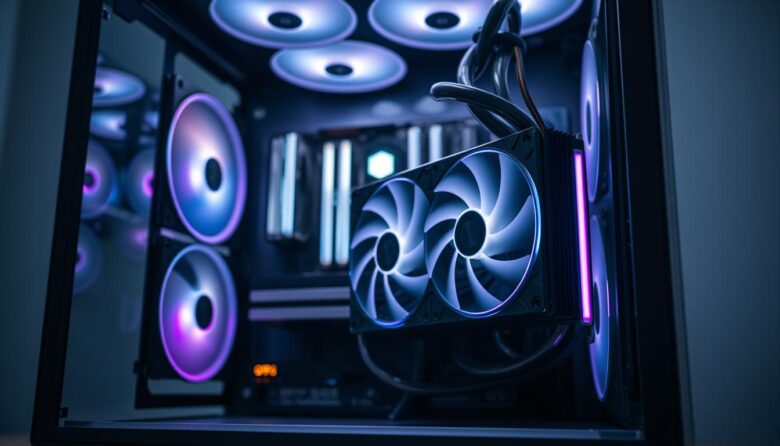
A quiet AIO is more than a low noise number on the box
Pump tone, fan speed, radiator restriction, vibration, case airflow, CPU power, and fan-curve behavior all affect what a listener actually hears. The right cooler is therefore the one that remains unobtrusive in your specific workload and room.
The SoftJean Editorial Team compared official specifications, control options, radiator designs, fan ranges, warranties, and installation requirements. SoftJean did not perform original acoustic laboratory testing, so the products below are quiet-focused candidates, not an unsupported claim of a universal decibel ranking.
Silent PC cooling is especially important in recording rooms, editing suites, home offices, voice-over spaces, and bedrooms. A cooler that sounds acceptable during gaming may still produce a distracting pump whine or repeated fan-speed changes when a microphone is nearby.
The quietest result also does not always come from the most expensive cooler. A properly sized radiator, sensible CPU power settings, smooth fan curves, good case ventilation, and vibration control can make a larger difference than replacing one competent AIO with another similar one.
Quick recommendations
Best acoustic-focused design: be quiet! Silent Loop 3 360mm.
Best simple low-noise setup: CORSAIR NAUTILUS 360 RS.
Best performance-focused value for low-speed tuning: ARCTIC Liquid Freezer III 360.
Best balanced mainstream alternative: Cooler Master MasterLiquid 360 Atmos.
A smooth low hum is usually less distracting than a tonal whine, clicking, or changing pitch.
Slow, gradual changes sound calmer than fans repeatedly jumping between low and high RPM.
More effective heat-exchange area can allow lower fan speed during sustained workloads.
Pump and fan vibration can become much louder when transferred into a thin case panel or desk.
Brands may use different distances, rooms, equipment, fan settings, sample conditions, and reporting methods. A listed dBA value is useful for understanding one product, but it should not be treated as a laboratory comparison against a number published by another company.
Quiet-focused AIO comparison
| Model | Best suited to | Published acoustic information | Control advantage | Main caution |
|---|---|---|---|---|
| be quiet! Silent Loop 3 360mm | Studio-focused build | 19.8 / 31.9 / 38.8 dBA at 50% / 75% / 100% fan speed | Adjustable 1700–3500 RPM pump and PWM Silent Wings 4 fans | Maximum-speed operation is not quiet, and the warranty is three years |
| CORSAIR NAUTILUS 360 RS | Simple quiet setup | Manufacturer states a 20 dBA pump and a 10–36 dBA product range | Direct motherboard control and fan Zero RPM support | Fan-stop behavior can create noticeable temperature and RPM cycles if poorly tuned |
| ARCTIC Liquid Freezer III 360 | Performance value | No directly comparable complete-system dBA value on the main specification sheet | 200–1800 RPM radiator fans and separate or combined PWM control | The 38mm radiator creates a thick installation stack |
| Cooler Master MasterLiquid 360 Atmos | Balanced tuning | 25 dBA maximum pump rating and 27.2 dBA maximum fan rating | 4-pin PWM fans and software-supported configuration | Fans reach 2500 RPM, so a restrained curve is important |
A cooler can have a very quiet pump at idle but louder fans under a heavy render. Another can remain efficient at low fan speed but develop a noticeable pump tone in a silent room. The result also changes with CPU power, radiator placement, case restriction, ambient temperature, microphone position, and the listener’s sensitivity to specific frequencies.
be quiet! Silent Loop 3 360mm
A strong first choice when acoustic tuning is the main goal
The Silent Loop 3 is built around a dampened, adjustable three-chamber pump with a six-pole motor. Its second chamber acts as a small reservoir intended to reduce turbulence before coolant leaves the pump assembly.
The 360mm version uses three Silent Wings 4 120mm PWM high-speed fans. The manufacturer publishes full cooler noise values of 19.8 dBA at 50% fan speed, 31.9 dBA at 75%, and 38.8 dBA at 100%. Those figures show why maximum speed should be treated as emergency thermal headroom rather than the preferred studio profile.
- The pump speed can be adjusted instead of remaining fixed at maximum.
- Silent Wings 4 fans are designed for controlled airflow and reduced leakage around radiators.
- The radiator uses a conventional 27mm thickness, helping case compatibility.
- An accessible refill port supports the manufacturer’s maintenance process.
- It supports mainstream Intel and AMD sockets as well as selected Threadripper platforms.
- The name does not mean the cooler is inaudible at maximum speed.
- The three-year warranty is shorter than several competing AIO warranties.
- High-speed fans can become unnecessary and clearly audible if the curve is too aggressive.
- Refilling must use the approved coolant and official procedure.
Find the lowest stable pump speed that does not create a noticeable tonal resonance, then use a gradual radiator-fan curve. Keep maximum fan speed available only for unusually hot conditions or sustained high-power workloads.
CORSAIR NAUTILUS 360 RS
A straightforward option without a separate controller or elaborate display
The NAUTILUS 360 RS connects directly to motherboard headers rather than requiring a dedicated control hub. This can reduce cable complexity and avoid installing additional controller hardware in a workstation or recording PC.
CORSAIR states that the pump operates at 20 dBA and lists an overall noise range of 10–36 dBA. Its three RS120 fans support PWM control up to 2100 RPM and include Zero RPM capability.
- The low-noise pump is a central part of the product design.
- Direct motherboard connections simplify control and troubleshooting.
- RS120 fans use PWM control and magnetic-dome bearings.
- Fan Zero RPM mode is available for very light workloads.
- The five-year warranty is competitive for a mainstream AIO.
- Zero RPM is not always the smoothest choice in a recording environment.
- Fan-stop mode may allow heat to build before the fans start more noticeably.
- The highest published noise range is not intended to represent silent operation.
- No controller means your motherboard must provide suitable PWM control.
Fan stop can make the system silent during short idle periods, but a constant low fan speed may sound less distracting than repeated start-stop cycles. For voice recording, use the option that produces the most stable sound during an entire session.
ARCTIC Liquid Freezer III 360
A thermal-capacity-focused choice that can be effective at restrained fan speeds
The standard Liquid Freezer III 360 uses a 38mm-thick radiator and three P12 PWM fans with a 200–1800 RPM range. The thicker radiator creates more heat-exchange volume than many conventional 27mm designs, although it also requires considerably more clearance once the fans are installed.
The cooler supports either combined control through one PWM connection or separate control of the pump, radiator fans, and integrated VRM fan. This flexibility is useful when the goal is to prevent one noisy device from following an unnecessarily aggressive shared curve.
- The large radiator can provide useful thermal headroom at lower fan speeds.
- Fan speed begins at a low 200 RPM specification.
- Separate control allows the pump, VRM fan, and radiator fans to be tuned independently.
- Integrated cable routing keeps the installation organized.
- The six-year manufacturer warranty is a strong advantage.
- The radiator-and-fan stack is much thicker than many alternatives.
- The small VRM fan adds another potential noise source if poorly tuned.
- Intel installation uses ARCTIC’s contact-frame procedure.
- Some motherboards require a compatibility check around the first M.2 heatsink.
The Liquid Freezer III Pro uses faster fans with greater maximum performance reserve. For a silence-focused system, the standard Liquid Freezer III with its lower 1800 RPM fan ceiling may be easier to tune, provided it is still available and supports the required socket.
Cooler Master MasterLiquid 360 Atmos
A balanced mainstream option with published pump and fan noise specifications
The MasterLiquid 360 Atmos uses a refined dual-chamber pump and three preinstalled SickleFlow Edge 120mm fans. Cooler Master publishes a maximum pump noise rating of 25 dBA and a maximum fan noise rating of 27.2 dBA.
Those values are manufacturer specifications rather than a direct comparison with the other coolers in this guide. They nevertheless provide useful information for users who want defined acoustic limits from a single product page.
- The manufacturer publishes separate maximum pump and fan noise figures.
- The conventional radiator thickness is easier to fit than thicker designs.
- Fans arrive preinstalled, reducing assembly work.
- Four-pin PWM control allows a restrained custom fan curve.
- The five-year warranty provides useful long-term coverage.
- The fans can reach 2500 RPM and should not remain unrestricted for quiet use.
- Its pump has less adjustment information published than some alternatives.
- ARGB and software features may be unnecessary in a simple studio workstation.
- Socket support should be checked for newer or less common platforms.
The Atmos is a sensible option for a mainstream AM4, AM5, or supported Intel system when you want a conventional 360mm radiator, published acoustic specifications, and enough fan performance reserve to handle occasional heavy workloads.
Identify the noise before replacing the cooler
AIO noise can be mistaken for graphics-card fans, power-supply fans, hard drives, case-panel vibration, or electrical coil noise. Listen from several positions and change one device at a time before deciding that the pump is responsible.
Broad, steady sound usually produced by air moving through a radiator, grill, filter, or case opening.
A steady mechanical tone that may change with pump RPM or become louder through the case structure.
Can come from a cable touching a fan blade, loose screws, worn bearings, trapped air, or a panel.
Fans regularly speed up and slow down because the control curve reacts too quickly to short CPU spikes.
May come from a pump motor, motherboard, graphics card, or power supply rather than airflow.
Shut the computer down if severe grinding, unstable pump RPM, visible moisture, a burning smell, repeated thermal shutdowns, or rapidly rising CPU temperature appears. A quiet build should never be created by ignoring evidence of failed circulation.
Radiator size and silence
Larger radiators can dissipate a given amount of heat with lower fan speed, but they are not automatically quieter. A large radiator with restrictive panels, poor fans, or an aggressive factory curve can be louder than a well-configured smaller system.
| Radiator size | Typical strength | Quiet-build limitation | Suitable use |
|---|---|---|---|
| 120mm | Fits certain compact cases | Limited radiator area can require higher fan speed | Low-power processors when no larger option fits |
| 240mm | Good compatibility with many mid-tower cases | May need faster fans with high-power CPUs | Moderate CPUs, compact workstations, and gaming systems |
| 280mm | Uses two larger 140mm fans | Not every case supports the extra radiator width | Quiet builds that benefit from larger, slower-moving fans |
| 360mm | Strong balance of availability, area, and fan choice | Requires approximately 395–400mm of actual mounting length | High-power gaming, rendering, production, and studio systems |
| 420mm | Large surface area with three 140mm fans | Requires a large case and careful clearance measurement | High-power systems where case size is not restricted |
Two 140mm fans can move useful airflow at lower rotational speed than smaller fans. However, the sound quality depends on the individual fan, radiator restriction, bearing, frame, grill, and control curve—not only fan diameter.
How to tune an AIO for quieter operation
Create a repeatable baseline
Record room temperature, CPU package temperature, CPU power, pump RPM, radiator-fan RPM, and noise behavior during idle, ordinary work, and one repeatable heavy workload.
Reduce unnecessary CPU power first
Automatic motherboard enhancement, excessive voltage, and unrestricted power limits can create heat that no fan curve can hide. Use appropriate manufacturer limits, an efficient voltage profile, or a supported eco mode when maximum benchmark performance is unnecessary.
Find a stable pump range
Follow the cooler manual. Some pumps operate best at a constant high speed, while others permit PWM adjustment. Test approved settings and avoid the RPM range that creates the strongest tonal resonance.
Use a gradual radiator-fan curve
Keep fans at a low, stable speed during light work and increase them gradually as sustained heat rises. Avoid sudden jumps caused by brief processor temperature spikes.
Add response delay or hysteresis
When supported by the motherboard or controller, use a short delay before increasing or reducing fan speed. This prevents rapid changes every time the CPU opens an application or completes a short background task.
Test the complete computer
The graphics card, power supply, case fans, and storage devices may become louder than the AIO after tuning. Improve the loudest remaining component rather than repeatedly lowering radiator speed.
A practical tuning strategy
Use the lowest stable pump and fan behavior approved for the cooler. Prefer a consistent low sound over frequent fan starts and stops.
Keep the curve nearly flat across the normal workload range so the microphone does not capture repeated changes in pitch.
Allow higher fan speed gradually. Sustained airflow is usually less distracting than thermal throttling followed by sudden maximum-RPM bursts.
Fan RPM at 40% PWM can differ greatly between products. Tune using actual RPM, temperature, CPU power, and sound rather than assuming that the same percentage produces the same result on every fan or pump.
Studio-specific noise improvements
- Place the computer farther from the microphone when cable length and room layout allow.
- Avoid pointing the radiator exhaust directly toward the recording position.
- Use a stable stand or isolation pad if vibration travels into the desk.
- Keep the PC out of enclosed furniture that restricts airflow and raises fan speed.
- Use larger case fans at low RPM when the case supports them.
- Remove unused restrictive filters only when dust conditions and maintenance allow it.
- Keep cables away from fan blades and lightly vibrating panels.
- Use SSD storage when mechanical-drive noise is unacceptable.
- Check the graphics-card fan curve because the GPU is often louder than the CPU cooler.
- Record a room-noise sample before and after each change instead of relying only on memory.
Choose an AIO when
- The CPU produces substantial sustained heat.
- The case has a good radiator position.
- You need clear space around memory or the CPU socket.
- You accept a continuously operating pump.
- You want heat moved directly to a case intake or exhaust location.
Consider a large air cooler when
- Pump tone is more distracting than fan airflow.
- The CPU has moderate power requirements.
- The case supports a large tower cooler.
- You prefer fewer mechanical components.
- Near-silent idle operation is more important than radiator placement.
Liquid cooling is not automatically quieter than air cooling. A large, efficient air cooler has no pump and can be extremely quiet at low loads. The best option depends on the processor, case, workload, microphone sensitivity, and the type of sound you find most distracting.
Quiet-build buying checklist
- Confirm the CPU socket and official compatibility list.
- Measure the complete radiator length, width, radiator thickness, and fan thickness.
- Check whether the pump is adjustable or controlled by proprietary software.
- Look for the minimum fan RPM, not only the maximum RPM.
- Confirm whether fan stop is optional rather than mandatory.
- Check whether a controller, internal USB header, or additional power connector is required.
- Review the warranty length and regional support process.
- Confirm that replacement fans use standard connectors and dimensions.
- Check for known compatibility notices, bracket revisions, or motherboard restrictions.
- Plan the radiator position so the pump is not the highest point in the liquid path.
Frequently asked questions
Which AIO in this guide is the strongest choice for a recording studio?
The be quiet! Silent Loop 3 360mm is the most explicitly acoustic-focused option in this shortlist. Its suitability still depends on case fit, CPU power, pump tuning, fan curve, and microphone position.
Is 20 dBA completely silent?
No. It is a low sound-pressure level under the manufacturer’s measurement conditions, but audibility depends on distance, room background noise, frequency, vibration transfer, and individual hearing sensitivity.
Should radiator fans stop at idle?
Fan stop can reduce idle noise, but it may create more noticeable start-stop cycles. A very low constant RPM can be better for a studio because the sound remains stable.
Should an AIO pump run at maximum speed?
Follow the cooler manual. Some pumps are designed for constant high-speed operation, while others support PWM adjustment. Lowering the pump too far can reduce circulation or create an undesirable sound.
Will replacing the included fans always make the AIO quieter?
Not always. Replacement fans need suitable static pressure, speed range, connector type, frame dimensions, and control behavior. Poorly matched premium fans can reduce cooling or create new resonant tones.
Is a 420mm AIO quieter than a 360mm AIO?
It can be quieter at the same heat load because it uses more radiator area and larger fans. However, case restriction, fan design, pump noise, and tuning can reverse the result.
Why do my fans repeatedly speed up when opening applications?
Modern processors can produce short temperature spikes during boost activity. A fan curve with no delay reacts to each spike. Add gradual steps, hysteresis, or response delay when supported.
Can undervolting make an AIO quieter?
A stable, supported voltage reduction can reduce CPU power and heat, allowing lower fan speed. Test stability carefully and preserve the original settings before making changes.
Why is my PC still loud after installing a quiet AIO?
The graphics card, power supply, case fans, hard drives, restricted panels, or vibration may now be the dominant noise source. Isolate each component before replacing the AIO.
Can acoustic foam be placed inside the PC?
Do not add improvised foam near hot parts, fans, electrical connections, or airflow paths. Use case-specific damping materials designed for computers and make sure ventilation remains adequate.
Is an AIO suitable for a voice-over booth?
It can be, but microphone proximity makes pump tone and RPM changes more noticeable. Position the PC away from the microphone, use a stable curve, control CPU power, and test the complete recording chain before relying on specifications alone.
Final recommendation
The be quiet! Silent Loop 3 360mm is the strongest acoustic-focused starting point in this group. The CORSAIR NAUTILUS 360 RS is attractive when you want simpler motherboard control and a pump designed around low-noise operation.
The ARCTIC Liquid Freezer III 360 offers strong thermal capacity and useful independent controls when your case can accommodate its thick radiator. The Cooler Master 360 Atmos is a balanced alternative with published maximum pump and fan noise ratings.
Whichever cooler you choose, the largest real improvement usually comes from combining the right radiator size with sensible CPU power, smooth fan curves, stable pump behavior, good case airflow, and control of vibration.

The SoftJean Editorial Team creates practical guides about PC cooling, liquid cooling systems, AIO coolers, airflow, maintenance, and hardware troubleshooting. Our content is developed through careful research using manufacturer documentation, technical references, compatibility information, and trusted industry sources to help readers make safer and more informed decisions about their computer cooling setups.