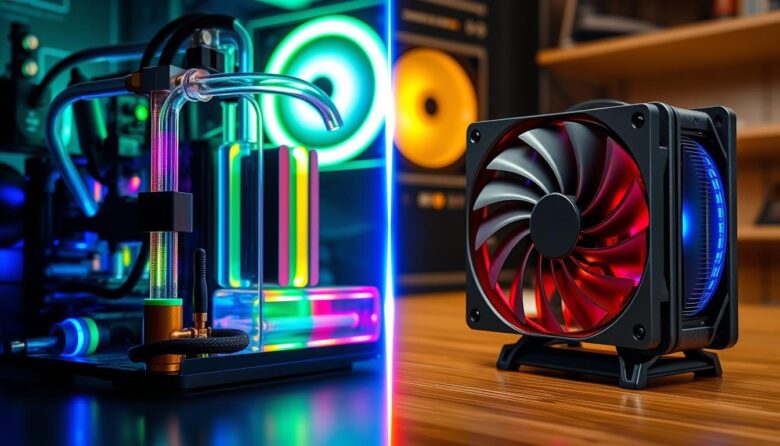
The better value depends on whether you want a cooler or a complete hobby project
An AIO packages the pump, CPU block, radiator, tubes, and coolant into one sealed product. A custom loop gives you control over each component and can cool both the CPU and GPU, but it demands more money, planning, assembly time, and maintenance.
The SoftJean Editorial Team reviewed official cooling guides, maintenance instructions, component requirements, and commonly accepted custom-loop practices. We do not present unsupported personal tests or universal temperature differences because results vary by hardware, radiator area, fan speed, power settings, case airflow, and ambient temperature.
The word “value” should not mean only the lowest purchase price. A cooling system also costs installation time, case space, maintenance supplies, future replacement parts, and the risk of having to rebuild the loop during an upgrade.
For most gaming and productivity computers, a correctly sized AIO offers the more practical balance. A custom loop becomes better value when the owner genuinely wants GPU water cooling, multiple radiators, replaceable components, a highly customized layout, or the experience of designing and maintaining the system.
Quick verdict
Choose an AIO when you need CPU cooling with straightforward installation, low liquid-related maintenance, predictable warranty support, and a single purchase.
Choose a custom loop when you want to cool both the CPU and GPU, select every radiator and pump, create a specific visual layout, and accept regular inspection and service.
Consider air cooling when low cost, mechanical simplicity, and easy long-term ownership matter more than radiator placement or liquid-cooling aesthetics.
A well-matched AIO for a demanding CPU and compatible case.
A custom loop with selected blocks, pump, reservoir, radiators, tubing, and fittings.
A custom loop with an exact-model full-cover graphics-card water block.
A compatible air cooler or sealed AIO that does not require loop assembly.
Claims that a custom loop is always a fixed number of degrees cooler than an AIO are misleading. A large AIO can outperform a poorly planned custom loop, while a multi-radiator custom system can provide far more cooling area than a normal AIO. Compare complete systems at similar CPU power and noise levels.
AIO versus custom-loop comparison
| Factor | Sealed AIO | Custom cooling loop |
|---|---|---|
| Initial cost | Low to premium | Usually high |
| Installation difficulty | Mount the radiator, fans, pump block, and required cables | Plan, mount, measure, cut, connect, fill, bleed, and leak-test the complete loop |
| Liquid maintenance | Normally none; sealed AIOs are not intended to be drained or refilled | Periodic coolant, tubing, fitting, pump, reservoir, and block inspection |
| CPU cooling potential | Strong when radiator size and cooler design suit the processor | Highly scalable through pump, block, radiator, and fan selection |
| GPU cooling | Most mainstream CPU AIOs cannot be expanded to include a GPU | Can include an exact-model GPU block and additional radiator capacity |
| Component replacement | A pump fault usually means replacing the complete AIO | Individual fans, pump, blocks, tubing, fittings, and radiators may be replaced |
| Visual customization | Limited to the supplied pump cap, lighting, screen, fans, and tubes | Extensive control over tube routing, coolant, blocks, reservoir, fittings, and layout |
| Time investment | Relatively low | High |
| Best value for | Users who want effective CPU cooling without building a serviceable liquid system | Enthusiasts who value customization, GPU cooling, modularity, and the building process |
How the two systems differ
All-in-one liquid cooler
A factory-assembled and prefilled cooling system, usually dedicated to the CPU.
- Radiator, pump, cold plate, coolant, and tubes arrive as one unit.
- Installation is closer to mounting a conventional CPU cooler.
- No normal coolant filling, draining, or flushing is required.
- Warranty covers the complete factory-built system.
- Available in many radiator sizes and feature levels.
- The loop is normally not expandable.
- The complete unit may need replacement when the pump fails.
- Pump tone remains a possible noise source.
- Tube length and radiator placement are fixed.
- Premium screens and lighting can increase cost without improving cooling.
Custom water-cooling loop
A user-designed system assembled from individual water-cooling components.
- Can cool the CPU, GPU, and other supported components in one system.
- Allows multiple radiators and large total cooling area.
- Pump, reservoir, tubing, fittings, blocks, and fans can be selected individually.
- Many parts remain reusable across later rebuilds.
- Offers far greater control over appearance and tube routing.
- Requires careful material, fitting, tubing, and GPU-block compatibility checks.
- Needs filling, bleeding, leak testing, and ongoing inspection.
- Creates more potential connection and sealing points.
- Hardware upgrades may require draining and rebuilding part of the loop.
- The initial cost can exceed the practical performance benefit.
Total ownership cost matters more than the purchase price
AIO pricing is easy to understand because the required cooling hardware normally arrives in one box. A custom loop must be priced as a complete system rather than by looking only at the CPU block or radiator.
Include every block, radiator, pump, reservoir, fan, tube, fitting, adapter, valve, coolant, controller, sensor, and mounting accessory.
Custom loops may require tube cutters, bending tools, a heat gun, pressure tester, fill bottle, extra tubing, plugs, O-rings, and spare fittings.
Consider replacement coolant, cleaning products, tubing, new GPU blocks, pump wear, shipping costs, and the time needed to drain and rebuild the system.
| Cost category | AIO | Custom loop |
|---|---|---|
| CPU cold plate and pump | Included in the cooler | Purchased separately or as part of a pump-reservoir combination |
| Radiator and fans | Included | One or more radiators and suitable fans purchased separately |
| Tubing and fittings | Factory installed | Every tube run requires correctly sized fittings and possible adapters |
| Coolant | Factory filled | Purchased for the initial fill, bleeding, and later maintenance |
| GPU cooling | Normally requires a separate GPU cooling product | Requires an exact-model GPU block and enough additional radiator capacity |
| Maintenance supplies | Cleaning tools for fans, radiator, and case | Coolant, cleaning supplies, tubing, O-rings, plugs, and possible replacement fittings |
| Builder time | Moderate installation and setup | Research, planning, fabrication, assembly, bleeding, testing, and future servicing |
A pump, radiator, reservoir, or fitting may survive several builds, but a new case, socket, graphics card, tube size, or visual plan can still require additional parts. Treat reuse as a possible advantage rather than a guaranteed return on the original investment.
Thermal performance and noise
Both systems move heat from a water block into coolant and then release that heat through a radiator. The main difference is scale. An AIO has a fixed radiator and pump, while a custom loop can use larger or multiple radiators and can distribute the heat of several components across the same cooling system.
What determines the real result?
- CPU and GPU power consumption during the actual workload.
- Total radiator surface area and radiator thickness.
- Fan quality, fan speed, static pressure, and noise target.
- Pump behavior and coolant flow through restrictive blocks.
- Cold-plate contact, thermal paste, and mounting pressure.
- Room temperature and the temperature of air entering each radiator.
- Case intake restriction and exhaust capacity.
- Dust buildup and long-term coolant or component condition.
A system with adequate radiator capacity may dissipate the same heat while its fans run more slowly. That does not guarantee silence: pump tone, fan motor quality, turbulence, grills, filters, and case vibration still affect perceived noise.
When a custom loop has a clear thermal advantage
- The loop uses substantially more radiator area than the compared AIO.
- Both the CPU and a high-power GPU are connected to the cooling system.
- The workload places sustained high power on several components.
- The build is tuned for low fan speed with enough radiator capacity.
- The blocks, pump, tubing, and airflow are selected and installed correctly.
For a CPU-only gaming system, the practical difference between a strong AIO and a custom loop may be less important than the difference in cost, installation time, and maintenance.
Maintenance and reliability
AIO maintenance
- Remove dust from the radiator, fans, filters, and case vents.
- Monitor CPU temperature, pump speed, fan speed, and unusual noises.
- Inspect tubes and fittings for visible damage or moisture.
- Follow the manufacturer’s mounting and orientation instructions.
- Do not open a sealed unit that is not designed for user servicing.
Custom-loop maintenance
- Inspect coolant level, clarity, color, particles, and deposits.
- Monitor coolant temperature, component temperatures, pump behavior, and flow.
- Inspect tubing, fittings, O-rings, blocks, reservoir, and drain hardware.
- Replace coolant according to the product guidance and loop condition.
- Drain and leak-test the loop after relevant component or tubing changes.
An AIO can develop a pump, fan, seal, or electronics fault. A custom loop can develop the same types of mechanical issues while also depending on user-installed fittings, tubing, valves, blocks, and coolant compatibility. Shut the system down if you see moisture, severe pump noise, repeated thermal shutdowns, or rapidly rising temperatures.
Failure and replacement differences
| Failure | AIO response | Custom-loop response |
|---|---|---|
| Radiator fan failure | Replace the fan when it uses a serviceable standard design | Replace the affected fan |
| Pump failure | Normally replace or warranty the complete cooler | Drain the loop and replace the pump or pump-reservoir assembly |
| Tube damage | Contact the AIO manufacturer; do not modify a sealed unit casually | Drain, replace the affected tubing, inspect fittings, and leak-test again |
| Block contamination | The sealed cold plate is generally not intended for user disassembly | A serviceable block may be removed and cleaned according to its instructions |
| Coolant deterioration | The complete sealed unit may need manufacturer support or replacement | Drain, inspect, clean as required, and refill with compatible coolant |
Upgrades and modularity
Modularity is one of the strongest reasons to choose custom cooling. It is also one of the reasons upgrades take longer.
A custom loop is especially useful when you plan to:
- Add a compatible full-cover graphics-card water block.
- Use radiators in more than one case location.
- Move heat from the CPU and GPU into one shared cooling system.
- Select a particular pump, reservoir, tubing material, or fitting style.
- Control radiator fans using coolant temperature.
- Reuse suitable radiators, pumps, fittings, and reservoirs in future builds.
A CPU AIO is easier to move into a new build when its socket bracket, tube length, radiator size, and case clearance remain compatible. Most sealed AIOs are not designed to accept another block or additional radiator.
A block must match the exact graphics-card model and PCB design. A block made for one card cannot be assumed to fit another card using the same GPU chip. This can reduce how much of a custom loop transfers directly to a future graphics-card upgrade.
Case compatibility can decide the winner
A cooling system has poor value when it cannot be installed correctly. Before choosing either option, verify the case rather than relying only on labels such as “supports 360mm radiators.”
- Check the radiator’s actual length, width, and thickness.
- Add fan thickness to calculate the complete installation depth.
- Check motherboard, memory, VRM heatsink, and CPU power-cable clearance.
- Check graphics-card length when using a front radiator.
- Confirm that tubes can reach without kinking or placing stress on ports.
- Allow room for a pump, reservoir, drain valve, and fill access in a custom loop.
- Confirm that radiator screws cannot reach and damage the radiator channels.
- Plan intake and exhaust airflow for the complete CPU and GPU heat load.
The factory tubes and combined pump block reduce the number of separate components that need mounting. A custom loop becomes easier when the case includes dedicated pump, reservoir, radiator, drain, and cable-management locations.
Which option offers better value for different users?
| User profile | Better starting point | Reason |
|---|---|---|
| Mainstream gaming PC | AIO or air cooler | CPU-only cooling usually does not justify the cost and service demands of a full custom loop |
| Content-creation workstation | Large AIO | Provides strong sustained CPU cooling without turning maintenance into another regular task |
| High-power CPU and GPU workstation | Custom loop | A properly sized loop can combine both major heat sources with substantial radiator area |
| Showcase or exhibition build | Custom loop | Tubing, blocks, fittings, coolant, reservoir, and layout become part of the visual design |
| First-time PC builder | Air cooler or AIO | Fewer compatibility checks and fewer possible assembly mistakes |
| Enthusiast who enjoys maintenance | Custom loop | The design, assembly, tuning, and service process provide value beyond temperature alone |
| Compact PC | Depends on exact case | An AIO may use limited space efficiently, while certain custom layouts can solve specialized constraints |
| Low-maintenance long-term system | Air cooler or AIO | Custom coolant, fittings, tubing, and block maintenance are unnecessary |
A practical decision process
Define the components you actually need to cool
A CPU-only system rarely needs a custom loop for practical reasons. Cooling both a high-power CPU and GPU creates a much stronger case for custom water cooling.
Set a complete budget
For custom cooling, include fittings, tubing, pump, reservoir, blocks, radiators, fans, coolant, drain hardware, tools, sensors, controllers, and spare parts—not only the visible blocks.
Measure the case
Confirm the complete radiator and fan stack, pump-reservoir mounting, GPU clearance, tube routing, fill access, and drain access before ordering.
Decide how much maintenance you will realistically perform
Do not choose a custom loop based on the maintenance habits you hope to develop. Choose it only when you are prepared to inspect, drain, clean, refill, and leak-test it when needed.
Compare independent results at equal noise
A cooler running louder fans may appear much stronger in a temperature chart. Look for testing with similar CPU power, ambient temperature, mounting, and acoustic conditions.
Choose the simplest system that meets the real goal
An AIO is usually the better value when it already meets the thermal, acoustic, visual, and compatibility requirements. Choose a custom loop when its additional flexibility is part of the goal rather than an unused feature.
Common value mistakes
- Comparing a CPU-only AIO with a custom loop designed to cool both the CPU and GPU.
- Ignoring the cost of fittings, adapters, tools, coolant, and maintenance supplies.
- Assuming every custom loop automatically produces lower temperatures.
- Using a fixed temperature difference taken from unrelated hardware tests.
- Choosing a custom loop without planning a drain valve and service access.
- Buying a premium AIO display while ignoring radiator and case compatibility.
- Assuming an AIO never needs dust cleaning or condition monitoring.
- Assuming every custom-loop component can be reused in every future build.
- Forgetting that a high-quality air cooler may already satisfy the system.
- Treating appearance as a thermal-performance feature instead of a separate priority.
Frequently asked questions
Does a custom loop always cool better than an AIO?
No. A custom loop has greater scaling potential, but performance depends on its blocks, pump, radiator area, fans, flow, mounting, and airflow. A strong AIO can outperform a poorly designed custom system.
Which option offers better value for gaming?
For most CPU-only gaming computers, an appropriate AIO or air cooler provides better practical value. A custom loop becomes more relevant when the GPU is also being cooled or the building experience and appearance are major priorities.
Can an AIO be expanded to cool the GPU?
Most mainstream sealed AIOs are not designed to accept extra blocks, radiators, or tubing. Verify the instructions for the exact model rather than attempting to open or modify a sealed unit.
Is a custom loop quieter than an AIO?
It can be when it uses enough radiator area to operate its fans slowly and the pump is isolated and tuned correctly. It can also be louder when pumps, fans, flow indicators, or restricted radiators are poorly configured.
Does an AIO require coolant changes?
A normal sealed AIO is not intended to be drained or refilled. Maintenance focuses on dust cleaning, temperature monitoring, fan condition, pump behavior, and inspecting the system for unusual noise or moisture.
How often does a custom loop need maintenance?
Follow the coolant and component manufacturers’ guidance. Inspect the loop regularly and service it earlier when you see rising temperatures, particles, deposits, discoloration, reduced flow, tubing damage, or leakage.
Can custom-loop parts be reused?
Radiators, pumps, reservoirs, fittings, and controllers may be reusable when compatible and in good condition. CPU and GPU blocks, tubing, mounting hardware, and adapters may need replacement for a new platform or layout.
Is a custom loop safer than an AIO?
Neither option is completely risk-free. An AIO is factory assembled and has fewer user-made liquid connections. A custom loop depends more heavily on component compatibility, assembly quality, leak testing, and maintenance.
Can I build a custom CPU-only loop?
Yes. A CPU-only loop can provide customization and future expansion. From a purely financial perspective, however, a suitable AIO often provides similar practical utility with fewer components and less maintenance.
Is air cooling still a better value than both?
It can be. A suitable tower air cooler may offer lower cost, no liquid pump, simple fan replacement, and minimal maintenance. Case clearance, CPU power, noise, and airflow still need to be considered.
Should I choose custom cooling for overclocking?
Custom cooling can provide more radiator area and thermal headroom, but processor voltage, silicon behavior, motherboard limits, and workload still determine the result. A large AIO may already be sufficient for a moderate supported overclock.
Does a custom loop increase PC resale value?
Not reliably. Some buyers value a documented and well-maintained loop, while others prefer factory cooling with easier warranty and maintenance. A model-specific GPU block may also have limited value after the graphics card becomes older.
Final recommendation
An AIO offers the better practical value for most CPU-focused gaming and productivity systems. It combines strong cooling potential, predictable installation, limited liquid maintenance, and one-product warranty support.
A custom loop offers better enthusiast value when you want to cool both the CPU and GPU, install substantial radiator capacity, choose every visible component, or treat system building and maintenance as part of the hobby.
Choose the custom loop for capabilities you will genuinely use. When a suitable AIO already meets the temperature, noise, appearance, and compatibility goals, adding more complexity does not automatically create more value.

The SoftJean Editorial Team creates practical guides about PC cooling, liquid cooling systems, AIO coolers, airflow, maintenance, and hardware troubleshooting. Our content is developed through careful research using manufacturer documentation, technical references, compatibility information, and trusted industry sources to help readers make safer and more informed decisions about their computer cooling setups.